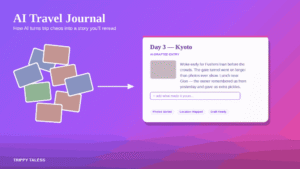
Polarsteps vs Trippy Taless: Which Tells Your Story Better?

You can remember the route perfectly and still struggle to explain what the trip felt like. There is the train you caught, and there is the conversation you had while rain blurred the window. Both belong in the story. They just ask different things of a travel app.
That is the useful starting point for Polarsteps vs Trippy Taless. Before comparing features, decide what you want to finish: a running record of where you went, a photo post you can share after returning, or both.
For a broader look at the tracker itself, read our Polarsteps review. This guide stays with the head-to-head decision: which workflow fits the story you want to make?
Quick answer: Choose Polarsteps when you want a route-based travel journal, updates for followers, and the option of a printed Travel Book. Choose Trippy Taless when your main task is reviewing trip photos and making an editable photo post or carousel. They serve overlapping memories but different workflows; you can use both without moving your entire archive.
Disclosure: This comparison is published by Trippy Taless. We have checked Polarsteps’ official product and help pages and describe Trippy Taless using its documented current workflow. This is a feature and workflow comparison, not a claim that we completed the same trip in both apps. Product details were checked on 14 October 2026.
Table of Contents
The difference that matters
A travel journal holds the sequence of a journey: places, dates, photos, and the words you attach to them. A photo post is an edited selection for a particular audience. One might preserve an entire month; the other might tell the story of a single afternoon.
Neither format is automatically more personal. A map with thoughtful notes can be deeply expressive. A carousel with a few specific words can be equally memorable. The better tool is the one that helps you complete the format you actually want to revisit or share.
Polarsteps’ Travel Tracker centres the journey on a route. You add memories to the places along it. Trippy Taless centres its current workflow on photos: upload, review an AI-assisted shortlist, save selected images to a trip, and work on a post in Post Studio.
Think of the difference as starting with a route or starting with a collection. If your question is “Where did we go next?”, a mapped diary is a natural fit. If it is “Which of these pictures should become our recap?”, selection and layout tools address the immediate problem.
This also changes when each tool earns its place. A running journal can become a habit during the trip. A post-making workflow can be useful once the photos have accumulated. Those are recommendations about fit, not restrictions: Polarsteps supports past trips, and you can work on photos in Trippy Taless before you get home.
Polarsteps vs Trippy Taless at a glance
The table describes the workflows relevant to this decision. An item marked as not part of Trippy Taless’ current workflow is a product limitation, not a judgment about its importance.
| What you want to do | Polarsteps | Trippy Taless |
|---|---|---|
| Record a route while travelling | Travel Tracker; must be enabled | Not a live route-tracking app |
| Build a place-by-place diary | Steps with photos and text | Saved trips and albums centred on selected photos |
| Let people follow a journey | Trip visibility and follower features | Export a post and share through your chosen app |
| Choose from a large photo batch | Add your chosen photos to steps | AI-assisted shortlist with user review |
| Design a photo post or carousel | Step sharing and Trip Reels are documented | Editable Post Studio layouts, text, and image exports |
| Get help with a caption | Write your step notes | Travel-oriented AI caption starting points; edit before use |
| Make a printed keepsake | Paid Travel Books | No printed-book service in the current workflow |
| Work with travel companions | Travel Buddies | No collaborative family or couple editing claim |
Polarsteps documents Trip Reels among its free features. It would be misleading to say that it only makes maps or cannot help you share visually. The useful distinction is the kind of editing and output you need, not a blanket claim that one platform tells stories and the other does not.
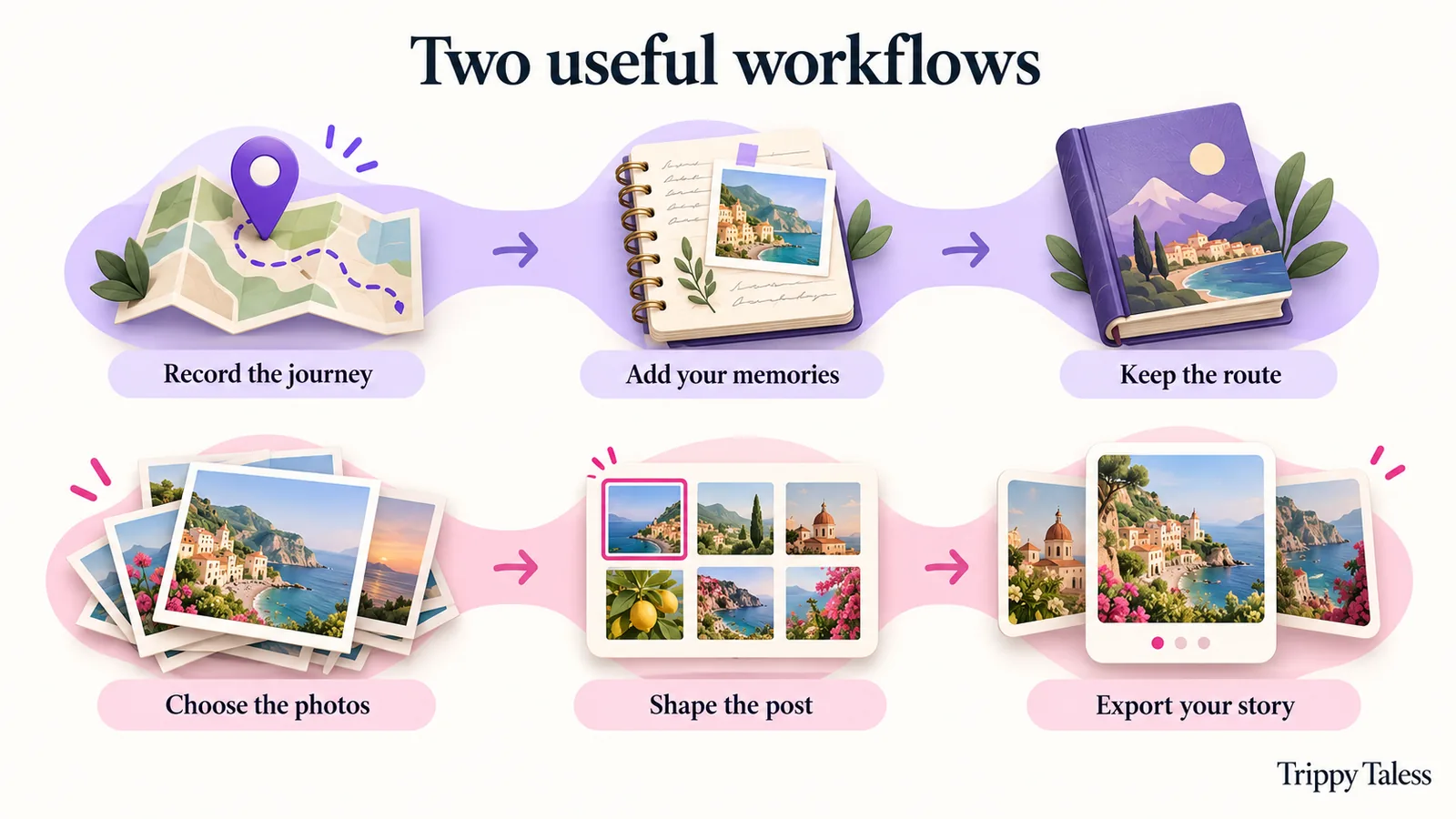
Which workflow suits your trip?
Before departure and while you are travelling
If you want a record that grows with the journey, start by considering Polarsteps. Its first-trip instructions explain setting dates, enabling the Travel Tracker, choosing privacy, and adding steps. Installing the app alone does not start tracking.
That last detail matters. Before a long journey, create a small practice trip and check the settings. A tool that depends on a habit is easier to use when the habit begins before the exciting part. Decide how often you want to add notes, rather than promising yourself a polished essay every night.
For a journal, an unfinished sentence can be enough: “Wrong platform, excellent coffee, made the next train.” You can expand it later. The aim is to leave yourself a clue that a photo alone will not supply.
Trippy Taless can fit during travel when you already have a group of pictures you want to shape into a post. Its role is different: it helps with the photos you provide, rather than recording your movements in the background. If the priority is a continuous route, choose a route tool first.
When you return with a crowded camera roll
This is where a travel photo organizer app and a post-making workflow become attractive. You may know the itinerary already. The obstacle is choosing between several similar shots, arranging them, and writing something less generic than “Take me back.”
In Trippy Taless, upload a batch, choose a shortlist size, and review the AI suggestions. Save the photos you want to a trip, then open Post Studio to arrange them. You can work with templates, edit text and styling, and use a caption suggestion as a starting point. The Trippy Taless overview shows this selection-to-post approach.
AI selection is a first pass. It does not know why a slightly crooked photo matters to you. Keep a picture because it holds a memory, even if another has cleaner composition. Before saving, check both the shortlist and the images that did not make it.
If your main challenge is deciding where to start, our guide to what to do with 800 photos after a trip gives a broader organizing routine. The number is an example, not a promise about how much a free plan will process.
A hypothetical trip, handled two ways
Imagine a week that includes a city stay, a train journey, and a few days in the mountains. This is an illustrative example, not a customer case study.
With Polarsteps, you could make a step for each place, add a short account of the day, and let the route connect the parts. A reader can follow the order of the trip. If you later want a Travel Book, the recorded journey becomes material for that keepsake.
With Trippy Taless, you could select a small set of images around one idea: “The journey between places.” A train-window photograph becomes the opening; a station detail sets the scene; a mountain photo gives the ending. You edit the layout and caption, export the images, and publish them in your social app yourself.
The journal preserves sequence. The post gives a selected theme a clear shape. You may want both. The question is whether you are trying to keep the whole journey or finish one piece of it today.
What makes the story yours?
Give the pictures a point of view
A list of attractions is useful information, but it is rarely the whole memory. Before choosing images, finish this sentence: “This trip was the one where…” Perhaps you learned to slow down, travelled with a parent, or finally visited a place you had talked about for years.
That sentence becomes a filter. Does a picture explain the idea, show a person who mattered, establish a place, or add a small detail? Several wide landscapes can be beautiful without doing different jobs. A small scene might give the set more character than one more perfect vista.
For a journal, the theme can recur through your notes. For a carousel, it can guide the sequence and final caption. You do not need a dramatic transformation. “We kept missing the bus and found our favourite streets on foot” is specific enough to carry a story.
Use AI to begin, then add what it cannot know
If you are looking for an AI travel journal, be precise about what you mean. AI can assist with individual tasks; that does not mean a product creates a complete, verified personal account of your journey automatically.
Trippy Taless’ current AI tools include photo selection, caption generation, and song suggestions. Post Studio creates editable photo posts and carousel images, rather than a complete automatic journal or video. Music suggestions are inspiration; they are not licensed soundtracks embedded in the exports.
After generating a caption, replace broad language with a detail you remember. Verify any suggested place name or factual statement. Change the tone until it sounds like something you would say. You are the source for the conversation, the joke, and the reason that moment mattered.
For example, an illustrative caption might begin, “A beautiful escape to the mountains.” A more personal revision could be, “We arrived soaked, borrowed two towels, and ate dinner in our hiking socks.” Use your own true details; do not borrow the example as if it happened to you.
Keep the unpolished parts
The technically strongest photo is not always the best storyteller. A meal halfway eaten, a badly framed selfie, or a hand holding a ticket can connect the polished images to a lived day.
A useful editing pass is to look for three kinds of picture: scene, person, and detail. The scene says where you were. The person says who was there. The detail gives you something to talk about. You can mix these in either a step-based diary or a designed post.
This is editorial advice, not a formula that every trip must follow. If the journey was solitary, a place or object may stand in for the people. If you prefer a private journal, the caption only needs to make sense to your future self.

Sharing, privacy, and keeping a copy
Match the sharing method to the audience
An audience following you during a journey wants updates and context. An audience seeing a recap afterward may appreciate a shorter selection. That difference should influence your choice as much as the editing tools.
Polarsteps has account and trip visibility settings. Its privacy guide explains the distinction: a public individual trip can be visible even when the account is private. A secret trip link also gives access to people who receive it. Check the trip setting itself before you begin sharing.
Trippy Taless exports files and lets you copy captions for publishing elsewhere. Supported device sharing depends on the browser and device; downloading is the practical fallback. You publish and schedule through the destination app yourself.
Before sharing from any app, review the pictures for tickets, addresses, documents, and people who might prefer to stay out of a public post. A beautiful layout does not make everything in the frame appropriate to share. Ask companions before including sensitive or personal moments.
Decide whether collaboration is essential
If your travel journal app needs to accept contributions from companions, Polarsteps’ Travel Buddy instructions are relevant. Invited buddies need accounts; adding them is handled in the app. Check the current allowances if your group is large.
Trippy Taless should not be chosen on the assumption that several family members can edit a shared journal together. That is not a current capability claimed here. You can collect photos with permission and make a post, but collecting files is different from collaborative editing.
Keep originals outside either storytelling workflow
A finished post is an edited output. A journal is a curated record. Keep your original photos in a separate backup as well, and confirm what an export contains before relying on it as your only copy.
Polarsteps offers a data download containing photos and machine-readable trip information, including step text and locations. That archive has a different purpose from a designed Travel Book. Do not assume an export is a ready-to-share journal or that it recreates the same view in another app.
Trippy Taless offers image and ZIP exports in its photo workflow. Downloading a carousel does not mean you have downloaded a live map or a complete diary. Before closing a project, keep the finished images and caption somewhere you can find them again.
Free plans and paid extras
Start with the free workflow when possible. Check that you like the output before deciding whether higher limits or extra features justify paying.
As of October 2026, Polarsteps says its core planning, tracking, sharing, and following features remain free. Its free-app explanation distinguishes those features from paid Travel Books and optional Polarsteps Plus. Plus adds extras such as 3D maps and advanced statistics. See the current Plus page for region-specific pricing and conditions.
Trippy Taless has a free plan with usage limits, standard templates, and watermarked exports. Paid plans change allowances and template access and offer watermark-free exports. Check the live Trippy Taless pricing page before a large project; allowances and promotional offers can change.
We have deliberately avoided a paid-price comparison here. Different output goals, currencies, offers, and billing terms can make a headline price misleading. Ask instead: “Can the plan handle the project I want to finish, and does it export what I need?”
A small test before you switch
You do not need to move years of memories to evaluate a Polarsteps alternative. Use one modest project first.
- Name the result. Write “mapped diary,” “printed book,” or “photo carousel.” If you need two results, list both.
- Pick one day or one theme. Use a manageable set of photos and your own notes. Keep originals backed up.
- Build a sample. In a diary, add a place and memory. In Post Studio, review a selection, arrange it, and edit the words.
- Inspect the output. Can you read the text on your phone? Does the order make sense? Is the picture you care about included?
- Try sharing or exporting. Open the result in its intended destination. Check the audience and any watermark before deciding.
Judge the friction honestly. A tool can have impressive features and still ask for habits you do not enjoy. If you will never maintain daily notes, a post-trip workflow may be easier to finish. If you love logging the journey, a map and steps may be the part you value most.
You can also divide the work. Keep a route journal during travel and use selected original photos to make a separate recap. There is no automatic Polarsteps-to-Trippy-Taless transfer promised here; treat the two projects as separate unless a supported integration is explicitly available.
Frequently asked questions
Is Trippy Taless better than Polarsteps?
It depends on the task. Polarsteps is the more direct fit for a tracked route and step-based diary. Trippy Taless is a useful option for AI-assisted photo selection and editable photo posts. “Better” should describe the result you need, not a universal ranking.
Can Polarsteps document a trip that already happened?
Yes. Polarsteps’ official instructions let you add a past, current, or future trip. You do not need to have tracked the journey live to begin a diary afterward. Consult its help pages for the current process.
Can Trippy Taless automatically write my entire travel story?
The current workflow assists with selecting photos and generating editable captions. You supply and review the memories. It does not automatically produce a complete, verified narrative of your trip.
Which option works offline?
Polarsteps advertises offline route tracking. That is a statement about tracking, not every sharing or editing task. Trippy Taless’ AI features require network access; do not choose it expecting a fully offline AI workflow.
Can Trippy Taless publish my carousel to Instagram?
You export images, copy the caption, and publish in Instagram or another destination yourself. Device sharing can vary. Publishing and scheduling happen in the destination app.
Is either app a replacement for my photo backup?
Keep a separate copy of your originals. Check each product’s export format and contents. A carousel, a trip archive, and a printed book preserve different things; none should be assumed to reproduce everything in your camera roll.
Key points to remember
- Choose the format before choosing the app: route diary, printed keepsake, or selected photo post.
- Polarsteps offers a journey-centred record; Trippy Taless offers a selection-to-post workflow.
- Review AI choices and captions. Personal importance comes from you.
- Check sharing settings, export contents, and current plan terms before committing.
- A small sample is more useful than migrating a whole archive on a promise.
Which tells your story better?
The route and the feeling are both worth keeping. Polarsteps can give the journey a mapped structure. Trippy Taless can help you turn selected photos into a post you have edited and made your own.
If you are home with a full camera roll and an unfinished recap, begin with one day. Choose the picture that brings it back, add the detail only you remember, and make a small story worth opening again.
Try Trippy Taless Free to review your photos and create an editable post. The free plan has usage limits and watermarked exports; explore the result before deciding whether you need more.
Loved this story? Trippy Taless turns your own travel photos into a curated album like this — automatically.
Start Your Travel Story Free