How to Choose the Best Travel Album Creator App for Your Trip
An album can mean a link you send to your parents, a book you keep on the coffee table, or a handful of pictures arranged into a trip recap. Those are all good ways to keep a journey close. They ask very different things of an app.
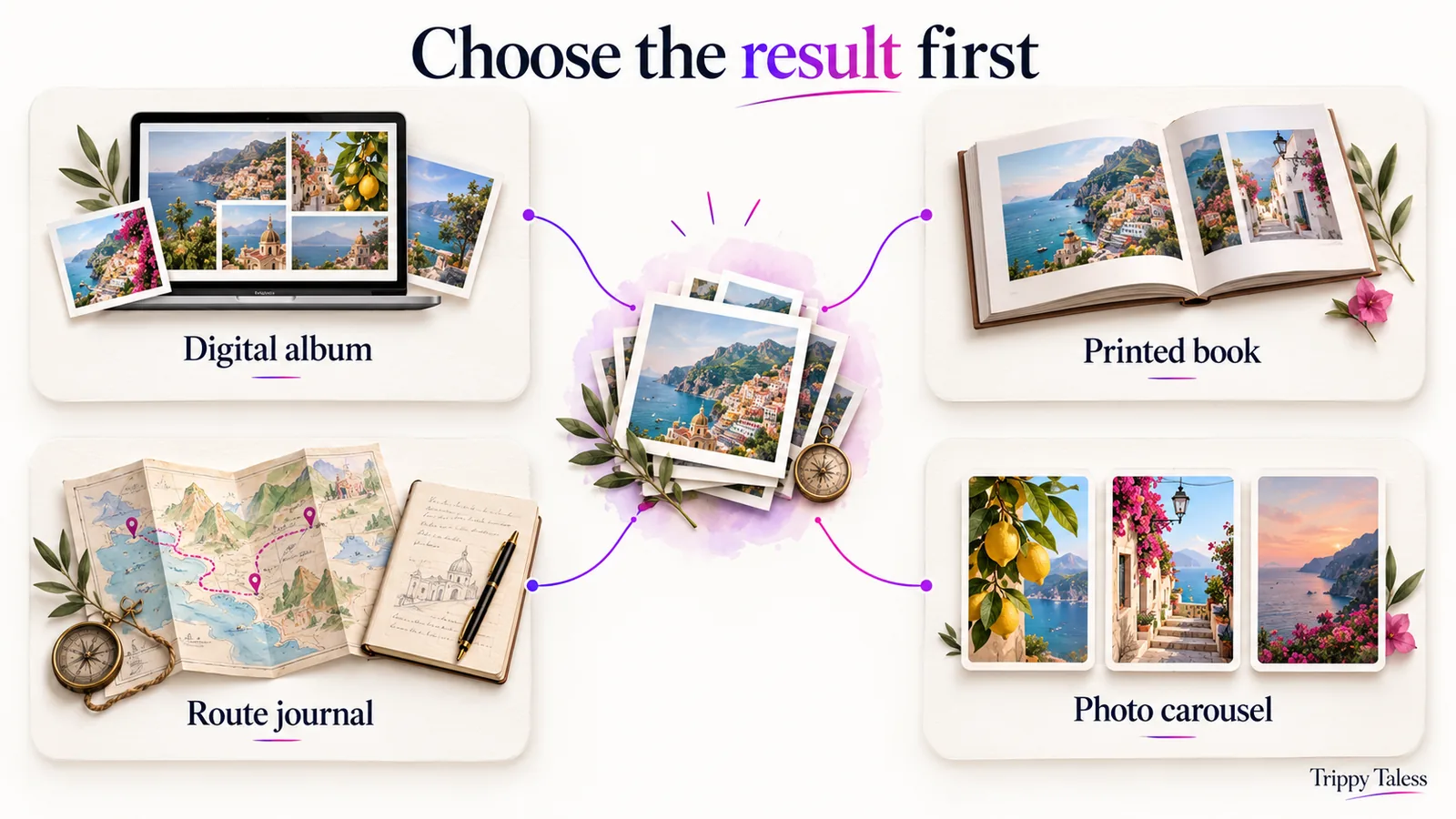
The best travel album creator app for you starts with that distinction. Before comparing templates or AI features, picture the finished result. Where will you open it? Who will see it? What would make it feel complete?
Quick answer: Choose a gallery or shared-album tool for an ongoing digital collection, a photo-book service for a printed keepsake, a route journal for a place-by-place record, and a post editor for a selected photo recap. Test one day of your trip before uploading everything. Check selection control, editable text, sharing, exports, and the total cost of the result you want.
Disclosure: This guide is published by Trippy Taless. Product examples were checked against official documentation on 20 October 2026. Recommendations describe fit for a task; they are not a hands-on ranking or a comparative print-quality test. For a separate list of products, see our travel album creator app roundup.
Table of Contents
Start with the kind of album
A travel album is a deliberately chosen collection of images with enough order and context to make the trip understandable later. The final container can be digital or physical. You do not need to squeeze every memory into the same format.
The useful question is what the album needs to do when you have finished making it. An ongoing collection should be easy to add to. A gift book needs careful proofing. A social recap needs a readable sequence on a small screen.
| Finished result | Prioritise | Examples to investigate |
|---|---|---|
| Digital album for browsing and sharing | Photo order, text, audience access, contributions | Google Photos or Apple Photos |
| Printed travel book | Page layout, crops, text proofing, cover and delivery options | Journi, Mixbook, or Canva |
| Route journal | Places, trip sequence, notes, visibility settings | Polarsteps |
| Edited photo post or carousel | Shortlisting, layout, caption edits, downloadable images | Trippy Taless or a design editor such as Canva |
These examples overlap. They are starting points for your trial, rather than a declaration that a product can only perform one job.
A digital album you can keep adding to
If your priority is collecting and sharing a trip’s photographs, begin with a gallery you already know. Check whether the people you want to include can open it, contribute, and find it again.
Google Photos’ album guide describes ordering images and adding text, locations, and maps on a computer. A digital album can therefore hold more context than an unlabelled grid. You still need to choose the images and write the personal details.
Apple’s Shared Albums guide explains sharing photos and videos with chosen people, who can add their own contributions and comments. Setup and available options depend on the software version. Read the current instructions for the devices your family actually uses.
Choose this route if an accessible collection matters more than designing every page. Keep a separate copy of the originals: an album’s sharing function and your backup have different jobs.
A printed book you can leave within reach
For a physical keepsake, start with the book rather than the app’s home screen. Think about where it will live, whether it is a gift, and whether you want substantial writing or mostly photographs.
Journi’s travel photo-book page describes an AI-created draft with editable layouts, maps, and text. Its photo-book settings help also notes that date titles depend on accurate photo-date information. Review that context rather than assuming automatically placed details are correct.
Mixbook offers photo books and an AI-assisted Story Mode, while its Maps tool can place custom maps in a book. Canva’s photo-book maker provides customizable templates and downloads, including print-ready PDF. Printing availability varies by country.
Those features help narrow a shortlist. They do not establish how a particular paper, binding, or colour will look in your hands. Inspect the current specifications and preview, and consider a small order before making several gift copies.
A journey you can follow place by place
If the route is part of the pleasure, a travel journal may be the better starting point. You might want the mountain stop, the long train ride, and the next city to remain connected in the record.
Polarsteps’ Travel Tracker combines a route with photos and memories attached to places and offers paid Travel Books. Its trip setup requires enabling tracking; installing an app does not itself create a record of your movements.
Choose a route-based approach when sequence and place are central to what you want to remember. Check privacy before sharing an active journey. For a focused comparison with a photo-post workflow, see Polarsteps vs Trippy Taless.
A small photo story you can finish and share
Sometimes the album you need today is a selected recap. You want to choose the pictures, arrange them, find the words, and finish a post without making a whole book.
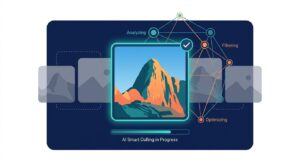
Trippy Taless connects an AI-assisted photo shortlist with saved trips and an editable Post Studio. You review the selection, arrange images and text, optionally start a caption with AI, and export images for publishing through your chosen social app. It does not provide a printed-book ordering service.
This is a useful fit when choosing and presenting photos is the immediate obstacle. A carousel can sit alongside a larger digital album. It need not carry every day of the journey.
Write a brief for your trip
A short brief keeps you from selecting a tool for a project you do not actually want to make. Complete this sentence: “I want to turn these photos into ___ so that ___ can ___.”
For example: “I want a digital album so that my family can add their photos.” Or: “I want a printed book so that we can revisit the honeymoon without a screen.” These are illustrative briefs, not customer case studies.
Then decide which requirement is essential and which would simply be pleasant. If a relative must be able to contribute from another device, test that early. If it is a gift, the delivery destination and order deadline belong in the brief. If you want a post, check the exported image before spending time on decorative details.
Decide what counts as finished
An album project can keep expanding unless you give it an ending. You could finish one day, one place, or one theme. “Our favourite meals” can be a complete story even though it does not explain every part of the holiday.
Write a simple stopping rule: the images are selected, each section has context, the output opens correctly, and a copy is saved. You can add another chapter later. Finishing a modest collection gives you something useful to evaluate.
Gather a representative sample
Choose photos that reflect the decisions the real project will require. Include a landscape, a portrait, a small detail, and a pair of similar images. If pictures come from several devices, include some of each. Keep the originals backed up before experimenting.
This sample lets you examine cropping, ordering, captions, and selection without committing the whole trip. A travel photo organizer app can be helpful at this stage, but first decide which files you are comfortable uploading.
If the collection itself is scattered, our guide to organizing travel photos covers the preparation step. Organization gives you material to work with; choosing an output gives that work a destination.
Compare the decisions the app leaves to you
The best travel album creator app should assist with your difficult decisions while leaving you control over the meaningful ones. “Automatic” is too broad to be useful on its own. Ask what is automated and what you can change afterward.
Photo selection and ordering
An AI shortlist can offer a starting point. It cannot know every relationship or private memory in the pictures. The technically tidy image might matter less than a slightly crooked photograph of someone you rarely get to travel with.
Look for a way to review the selection and bring an image back. Test whether rearranging the story is straightforward. A chronological sequence suits a journey diary, while a thematic sequence may work better for a short recap.
In Trippy Taless, you choose a shortlist size, review the suggested images, and save selected photos to a trip. AI does not automatically delete the pictures from your device. You remain responsible for deciding what to keep and what the selection should say.
Text and context
Make sure there is room for the words you will actually write. A place label, a short caption, and a page of reflection have different layout needs. Check the reading experience at the final size, not only in a large editor window.
Try one specific line of your own: who was there, what happened, or why the image matters. If you use an AI caption, verify place names and factual suggestions and revise the tone. A caption is a writing aid; it is not proof that a suggested event happened.
Layout and crops
Put both a wide scene and a portrait into the sample. Look at faces near edges, the horizon, and any detail a template might hide. Move an image or change a layout to see how much control you have.
For a printed spread, inspect the centre fold and page margins in the preview. For a phone-sized post, check whether text is readable without zooming. A visually impressive template is only useful if your particular photographs fit it.
Contributions and permissions
Collecting photos from companions and letting them edit a shared project are different capabilities. Decide which one you need. A shared album can accept contributions without providing the same page-design controls as a book editor.
Trippy Taless’ current workflow does not offer collaborative family or couple journal editing. If that is essential, test a product’s supported sharing and contribution features before committing. Avoid assuming that a general “share” button means everyone can edit the same project.
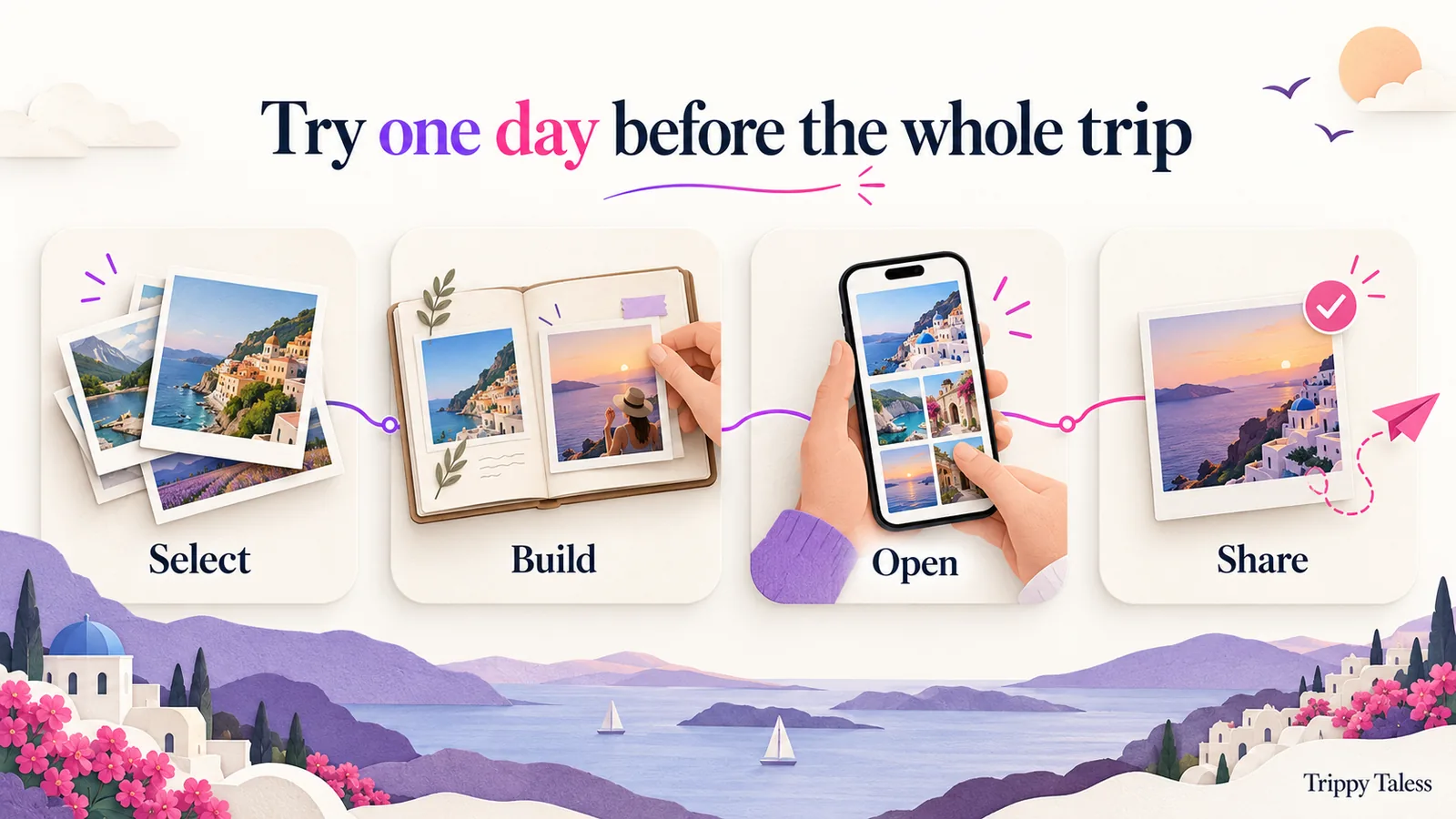
Run a small project trial
Use the same sample and the same goal in each candidate. You will learn more from completing a small output than from collecting a long feature list.
Step 1: Select a coherent scene
Choose one day or theme. Give each image a job: establishing the place, introducing a person, showing an activity, or preserving a detail. You do not need a fixed number of pictures. Use enough to make the scene understandable without repeating it.
If two photos do the same job, try leaving one out. If the collection feels impersonal, look for something ordinary: a table, a ticket with private information hidden, or the view from where you waited. Use real details from your trip.
Step 2: Build a rough version
Put the images into a simple order and add context before polishing the design. The result should make sense even without ornamental graphics. Try changing the opening image or replacing one picture to see how easy revision feels.
For a Trippy Taless trial, upload the sample, review the AI-assisted shortlist, and save the chosen photos to a trip or album. If you want a photo recap, continue in Post Studio, adjust the layout and text, and edit the caption before export. Some templates and usage allowances depend on the plan.
Step 3: Open it where it will be used
An editor preview is only part of the test. Open the exported image, PDF, or shared album in the intended setting. Read it on a phone if that is where people will see it. For a physical book, check every page in the order preview before ordering.
Notice whether the story survives that change of setting. Is the text readable? Did a crop remove something important? Are the pictures in the expected order? Does the audience need an account or permission you had not considered?
Step 4: Try the handoff
Check the actual route from your project to the recipient. Send a private test to someone you trust if their access is central to the project. For downloads, open the files and confirm you have the caption or notes separately if needed.
Trippy Taless exports images and offers caption copying; you publish in the destination app yourself. Device share options vary. A downloaded carousel is an image output, not a printed book, a live map, or a complete backup of the trip.
Step 5: Write down the friction
Record what interrupted you: choosing pictures, editing text, fixing a crop, inviting someone, or downloading the result. Then decide whether the next plan or a different product would actually solve that issue.
Avoid judging every tool by the same ambition. A shared collection can be successful without magazine-style pages. A printed book can be successful without a live route. The purpose of the trial is to find the workflow you are willing to finish again.
Check costs, access, and keeping a copy
Free design and free output are different
An app can be free to open while the result you want costs money. A book service may let you design before paying for printing. A digital tool may have storage, export, template, or watermark limits.
Check the full project rather than comparing a headline price. For a book, that means the selected size, page count, cover, delivery destination, and checkout total. For a digital workflow, check whether the plan allows the uploads, edits, and exports you need.
As of October 2026, Trippy Taless offers a free plan with usage limits, standard templates, and watermarked exports. Paid plans change allowances and template access and provide watermark-free exports. Use the live pricing page for current terms.
Understand who can open the result
Check who has access to a shared album or project, whether a link can be passed on, and how contributions are managed. Before posting publicly, inspect images for documents, addresses, tickets, and people who have not agreed to appear.
If the audience is one grandparent, simplicity may matter more than editing features. If several friends are contributing, test the least convenient device in the group. The album needs to work for them as well as for its creator.
Keep the originals and the finished project
Save original photos separately from your storytelling tool. A shared copy, compressed image, designed page, and original file may preserve different information. Read the service’s current export guidance rather than assuming every version is interchangeable.
Keep the final images or document, the caption or notes, and a record of where the editable project lives. Give them a clear trip-and-date name. A finished album is easier to revisit when you can find it without opening several apps to guess where you left it.
A worked example
Imagine a couple returning from a coastal holiday. This is a hypothetical project. They want to gather both sets of photos, send a recap to friends, and eventually make a book for themselves.
They begin with a shared collection to gather the originals with permission. Then they choose one theme for the recap: the slow mornings between sightseeing days. The story needs a cafe, a walk, and a quiet view; it does not need every landmark.
They trial an editable photo-post workflow with that small set. After reviewing the selection and adding their own words, they export the recap and publish it themselves. The larger collection remains available for the separate book project.
When they begin the book, they evaluate page layout, captions, maps, and ordering options in a photo-book service. They do not assume the carousel will become a book automatically. One collection can support several outputs, with a different tool doing each job well enough for their needs.
Frequently asked questions
What is the best travel album creator app for me?
Choose by output. A shared digital collection, printed book, route journal, and photo carousel have different requirements. Pick a format, test one representative sample, and compare the finished result rather than relying only on feature lists.
Is there an AI app that creates travel albums automatically?
Some tools automate parts of the work. Journi and Mixbook describe AI-assisted book drafts; Trippy Taless assists with photo selection and editable captions. Review the images, layout, dates, and text yourself. Automation does not establish that every detail is right.
Can I make a travel album for free?
You may be able to create a digital collection or design using a free plan. Check storage, assets, watermarks, and export limits. Printing and delivery are separate costs. Trippy Taless’ free plan has usage limits and watermarked exports.
Does Trippy Taless print travel photo books?
No. Its current workflow saves selected photos in trips and albums and creates editable photo posts or carousel images. For a bound book, choose a print service and check that service’s file and design requirements.
What if I want an app to turn photos into a travel story?
Define the story first: a written diary, mapped journey, book, or short photo recap. Trippy Taless can help shortlist photos and make an editable post, but you supply and verify the personal details. It does not automatically write a complete, verified journal.
How do I learn how to make a travel album without a big project?
Choose one day, select a coherent set, add a little context, and finish a small output. Open or share it in the intended setting. Use what you learn about crops, text, access, and exports before expanding to the whole trip.
Key points to keep
- Name the finished result before choosing a travel album app.
- Compare control over selection, text, crops, contributions, and exports.
- Test one day or theme with the people and devices that matter.
- Check total costs and current plan terms before a larger commitment.
- Keep original photos separately and save the finished output where you can find it.
Make one small album worth opening again
The right tool gives your photos somewhere useful to go. It might be a shared collection, a book within reach, a route you can follow again, or a post that finally gets finished.
Start with one day you still remember clearly. Choose the pictures, add the details only you know, and see how the result feels outside the editor.
Create Your Album Free with Trippy Taless to review a photo selection and save it to a trip or album. Continue into Post Studio if you want an editable recap to export. Free-plan limits and watermarks apply.
Loved this story? Trippy Taless turns your own travel photos into a curated album like this — automatically.
Start Your Travel Story Free