Best Travel Journal Apps 2026: 10 Apps Tested & Compared

Relive it. Make it yours. Share it.
Start with a few trip photos. Let Trippy Taless help you choose a story, then review your photos and create an editable carousel to share yourself.

Free plan with usage limits and watermarked exports. One account across Android and web; prices may differ.
Use the web app on iPhone. The iPhone app is coming soon.
Table of Contents
The Real Problem with Travel Journaling (And Why Most Apps Don’t Solve It)
Here’s a scene most travelers know intimately.
You’ve just returned from two weeks in Southeast Asia. Your camera roll has 1,200 photos, a handful of shaky videos, and several blurry duplicates of that one temple you photographed seventeen times. You’re jet-lagged, your inbox is overflowing, and somewhere at the back of your mind you’re thinking: I really should document this trip before I start forgetting things.
You open a journaling app. It stares back at you with a blank page.
And then… nothing. The app sits unused. The trip slowly compresses in your memory until all that remains are the greatest hits — the things you’d already tell anyone at a dinner party. The quiet moments, the small discoveries, the textures that made it yours — those are the first to fade.
This is the gap most travel journal apps fail to bridge. They give you the tool but not the momentum. They assume you’ll have the energy and discipline to document 14 days of experiences when you barely have time to unpack.
The best travel journal apps in 2026 understand this. The standout ones remove friction so completely that you end up with a rich, revisitable record almost by accident — without having to be a dedicated journaler, a great writer, or a person who has two hours free after every travel day.
This guide tests 10 of the best travel journal apps available right now. Not just features on a spec sheet — but what they actually feel like to use, who they’re built for, and which ones you’ll still be opening a year from now.
What to Look for in a Travel Journal App
Before we get into the apps, it’s worth clarifying what actually matters. The travel journal app market is crowded, and most roundups compare features without asking the harder question: will you actually use this thing?
Here’s what separates great travel journal apps from ones that collect digital dust:
Low friction entry. The best apps make adding content feel effortless — whether that’s through automatic photo importing, quick voice notes, or AI assistance that does the organizing for you. If the app feels like homework, you won’t use it on day three of a busy trip.
Photo and text together. A great travel journal isn’t just words and it isn’t just photos. It’s both — the image anchors the memory, the words give it meaning. Apps that force you to choose one over the other miss the point.
Offline capability. You’ll often be in places with no signal — remote beaches, mountain huts, rural trains. Your journal app needs to work there too, syncing later when you reconnect.
Revisitability. The real test of any travel journal app isn’t whether it’s good during the trip. It’s whether you’ll open it a year later and feel something. Apps that create immersive, story-like presentations of your memories serve this function far better than raw photo galleries.
Collaborative options. Most of us don’t travel alone. The best apps let partners, friends, and family contribute their own photos and notes to a shared record, rather than forcing one person to be the designated documentarian.
The 10 Best Travel Journal Apps in 2026
1. Trippy Taless — Best for AI-Powered Travel Storytelling and Memory Preservation
Best for: Travelers who want their photos to automatically become a story worth revisiting
The frustration of arriving home with 800 photos and doing nothing with them is so common it’s almost universal. Trippy Taless was built to solve precisely this problem — not by making photo organization easier, but by making it nearly automatic.
The app’s AI photo selection scans your camera roll and identifies your best shots by quality, composition, and moment — cutting through the duplicates, the blurry frames, and the 12 near-identical sunrise photos to surface what actually represents the trip. That curated set is then organized by location, building a travel journal and album structure you can actually navigate.
What makes Trippy Taless different from other apps in this list is its focus on memory preservation over raw documentation. The fullscreen memory viewing mode creates something genuinely immersive — less like scrolling a photo grid, more like stepping back into the experience. Your memories feel alive, not archived.
For anyone who has ever thought I’ll organize these photos when I have more time and never quite gotten there, Trippy Taless does the hard work automatically. You come home, it goes to work. Simple.
Key features: AI photo selection from your camera roll • Travel albums and journals organized by location • Fullscreen immersive memory viewing • Social media sharing • AI highlight videos (coming soon) • Community storytelling feed (coming soon)
Pricing: Free to start | Platform: iOS
Try it free: trippytaless.com
2. Day One — Best for Serious Writers and Text-First Journaling
Best for: Travelers who process experiences through writing and want the most polished journaling interface available
Day One has been the benchmark for journaling apps for over a decade, and in 2026 it remains the most polished, most carefully designed option for anyone who prioritizes the words above everything else.
For travel specifically, Day One shines in how it handles context automatically. Every entry captures your location, the weather, what you were listening to, your step count — building a rich metadata layer around your writing without requiring you to input anything manually. The Map View plots every entry geographically, so your entire travel history becomes an interactive atlas of places you’ve written from.
The “On This Day” feature is genuinely moving for frequent travelers: open the app on any date and it resurfaces what you wrote a year, two years, five years ago in that same moment. That kind of temporal layering turns a journal into something more like a life record.
Key features: Best-in-class long-form writing • Automatic location, weather, and music metadata • Map View of all entries • “On This Day” memory surfacing • Available on iOS, Android, macOS, Windows, and web • End-to-end encryption
Pricing: Free tier; Premium from ~$24.99–$34.99/year | Platform: All platforms
Try it free: https://dayoneapp.com
3. Polarsteps — Best for Automatic GPS Route Tracking
Best for: Travelers who want a passive record of where they went with zero manual input
Polarsteps runs quietly in the background, recording your route via GPS, and presents the result as a beautifully animated map you didn’t have to build yourself. If you’re the kind of traveler who always intends to document a trip but gets swept up in the actual experience, Polarsteps gives you something to show for it without requiring discipline.
Where it has limitations: only one person can document a trip (frustrating for couples), the storytelling layer is thin, and GPS occasionally logs phantom routes that can’t be edited. If you’re considering switching, see our guide to the best Polarsteps alternatives in 2026.
Key features: Automatic GPS route tracking • Flight detection and route animation • Real-time sharing with followers • Offline capability • High-quality printed travel books
Pricing: Free; printed books from €36 | Platform: iOS, Android
Try it free: https://www.polarsteps.com/
4. Journi — Best for Quick Photo-to-Book Conversion
Best for: Travelers who want a beautiful physical photo book with minimal design effort
Journi’s strongest suit is speed. Upload your photos, and the AI sorts them by time and location and makes it straightforward to convert the whole thing into a printed photo book in a few taps. The in-app experience is polished — one of the more attractive interfaces in this category. Collaborative trips let multiple people add photos and notes to the same journal.
The pricing model is the main friction point: the full experience requires a subscription at around €53.99 per year.
Key features: AI photo organization by time and location • Collaborative shared trips • One-click photo book ordering (up to 1,200 photos) • Video support • Offline access
Pricing: Free tier; Premium ~€9.99/month or ~€53.99/year | Platform: iOS, Android
5. TripMemo — Best for Couples and Group Travel Documentation
Best for: People traveling with a partner, family, or friends who all want their memories in one place
TripMemo’s TripBook format — a structured, story-like record with pages, map pins, daily organization, and travel statistics — is designed from the ground up for collaboration. Everyone in the group contributes photos and notes to the same document in real time. The app automatically sorts everything into days and chronological order, so the finished TripBook reads as a coherent narrative rather than a pile of unconnected entries.
For couples specifically, TripMemo handles the most common pain point in partner travel documentation: one person usually ends up being responsible for all the photos and notes. TripMemo distributes that responsibility naturally.
Key features: Real-time collaborative TripBooks • Automatic chronological sorting • Map pins and travel statistics • Vintage camera with LUT filters • Offline mode
Pricing: Free tier; Premium plans available | Platform: iOS, Android
6. FindPenguins — Best Free Social Travel Journal
Best for: Travelers who want GPS tracking, social sharing, and collaboration — all without paying
FindPenguins offers more than most paid apps in this list, and most of it is free. Automatic GPS route tracking, flight detection, 3D flyover videos of your journey, collaborative multi-contributor trips, and a social following system — no subscription required. The core unit is the “Footprint” — a geotagged post with photos, video, and text that followers can watch unfold in real time.
Key features: Automatic GPS tracking (4% battery impact) • Free 3D flyover journey videos • Collaborative multi-traveler trips • Public/private/friends-only privacy per trip • Unlimited trips on free tier
Pricing: Free; Premium available | Platform: iOS, Android
Try it free: https://findpenguins.com/
7. Journey — Best Cross-Platform Journal
Best for: Travelers who write across multiple devices and operating systems
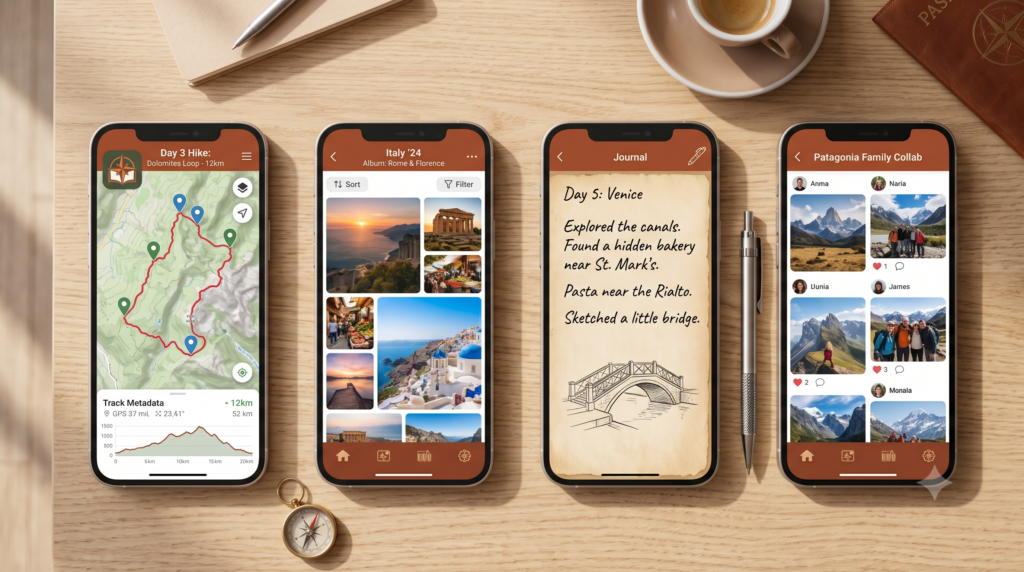
Journey’s defining strength is its platform coverage: iOS, Android, macOS, Windows, Linux, and web. If you move between devices mid-trip — phone on the road, laptop at the hotel, desktop back home — Journey is the only app in this category that meets you on all of them without compromise. The AI writing assistant helps when you’re staring at a blank page after a long travel day.
Key features: Available on all platforms including Linux and web • Rich text, photos, videos, audio, and mood tracking • AI writing assistant • Location tagging with map view • CPTG-certified privacy
Pricing: Free (local only); Membership ~$3.99/month for cloud sync | Platform: All platforms
Try it free: https://journey.cloud/
8. Bonjournal — Best Minimalist Free Option
Best for: Travelers who want simple, clean documentation with no cost and no complexity
Bonjournal is what Day One might look like if it were stripped down to essentials and made completely free. Simple text entries, photo attachments, date and location, and an uncluttered interface that gets out of the way. No premium tier, no subscription prompts, no feature creep. It’s the app you’d choose if you’ve been meaning to keep a travel journal for years but find every other option too complicated or too expensive to commit to.
Key features: Completely free — no premium tier • Clean, minimal interface • Photos and text per entry • Location tagging
Pricing: Free | Platform: iOS only
9. Apple Journal — Best for iPhone-Only Users
Best for: iPhone users who want a built-in journaling option with zero setup
Apple Journal leverages the data your iPhone already collects — photos, location history, music, workouts, significant places — and turns those into intelligent journaling suggestions. For travel, this is particularly useful: rather than remembering what you did on day four of a trip, Apple Journal already knows you were at the Uffizi Gallery in Florence at 11am. The prompts give you a scaffold; you fill in what it meant.
The limitation: Apple Journal is deliberately private and low-key. No sharing, no collaboration, no export. A personal record, not a shareable story. But it’s already on your phone, which is an underrated advantage.
Key features: Built into iOS 17+ (no download required) • Smart suggestions based on photos, location, and music • Complete privacy — nothing shared externally
Pricing: Free | Platform: iPhone, iPad only
10. Wanderlog — Best for Planning-First Travelers
Best for: Travelers who want to document their planning phase and build collaborative itineraries
Wanderlog is primarily a trip planning app — a collaborative itinerary builder for organizing flights, accommodation, stops, and day-by-day structure. It’s excellent at the planning layer, particularly for road trips and group travel. Adding notes and photos to stops gives it a light journaling dimension. Where it falls short: there’s no meaningful way to revisit your travels as a story once the trip is over. Many travelers use Wanderlog for planning, then switch to a memory-focused app for the actual preservation. For strategies on what to do after the trip ends, see our guide on how to preserve travel memories.
Key features: Collaborative itinerary building • Map integration with recommendations • Confirmation email import • Day-by-day trip structure
Pricing: Free; premium plans available | Platform: iOS, Android, web
Try it free: wanderlog
Quick Comparison Table
| App | Platform | Free Tier | Offline | Collaboration | AI Features | GPS | Best For |
|---|---|---|---|---|---|---|---|
| Trippy Taless | All | ✓ | ✓ | ✓ | ✓✓✓ | ✓ | AI storytelling & memory preservation |
| Day One | All | ✓ (limited) | ✓ | ✗ | ✓ (writing) | ✓ (location) | Text-first private journaling |
| Polarsteps | iOS/Android | ✓ | ✓ | ✗ | ✗ | ✓✓✓ | Passive route tracking |
| Journi | iOS/Android | Limited | ✓ | ✓ | ✓ (layout) | ✗ | Photo books |
| TripMemo | iOS/Android | ✓ | ✓ | ✓✓✓ | ✓ | ✓ | Couples & groups |
| FindPenguins | iOS/Android | ✓✓✓ | ✓ | ✓ | ✗ | ✓✓✓ | Free GPS + social |
| Journey | All | Limited | ✓ (local) | ✗ | ✓ (writing) | ✓ | Cross-platform writing |
| Bonjournal | iOS | ✓✓✓ | ✓ | ✗ | ✗ | ✗ | Minimalist free journaling |
| Apple Journal | iOS/iPadOS | ✓✓✓ | ✓ | ✗ | ✓ (prompts) | ✓ | Built-in iPhone journaling |
| Wanderlog | All | ✓ | ✓ | ✓✓✓ | ✗ | ✗ | Trip planning |
How to Choose the Right Travel Journal App
The best travel journal app is the one that fits how you actually travel — not the one with the most features on paper.
Do you travel alone or with others? Solo travelers have more flexibility. Couples and groups should prioritize apps with genuine collaborative features — TripMemo, FindPenguins, and Journi all handle this well.
Do you want to write or let photos do the talking? If long-form reflection is your thing, Day One or Journey gives you the best writing environment. If photos are your primary medium and you want them organized into something meaningful without writing a word, Trippy Taless and Journi do the heavy lifting for you.
How disciplined are you likely to be? Be honest. If you know you won’t open a journaling app every evening after a long travel day, choose an app that works with your habits rather than against them. Polarsteps and Trippy Taless both reduce the documentation burden significantly — one by tracking your route automatically, the other by curating your photos with AI.
Do you want a physical product at the end? Journi, FindPenguins, and Polarsteps all have excellent photo book ordering built in.
Is budget a consideration? FindPenguins, Bonjournal, Apple Journal, and the free tiers of Trippy Taless and TripMemo all offer genuine value without a subscription.
Do you want the journal to feel alive a year from now? This is the question that matters most, and it’s the one most people don’t think to ask. Trippy Taless and Day One both stand out here — one through visual story presentation, the other through “On This Day” that resurfaces your writing in meaningful ways.
FAQ
What is the best travel journal app in 2026?
The best travel journal app depends on your needs. For AI-powered photo curation and immersive memory preservation, Trippy Taless is the standout — it automatically selects your best photos and organizes them into a story without manual effort. For text-first journaling, Day One is unmatched. For GPS tracking, Polarsteps or FindPenguins. For couples and groups, TripMemo.
What is the best free travel journal app?
FindPenguins and Trippy Taless both offer excellent free tiers. Bonjournal is completely free with no premium tier at all. Apple Journal is already installed on every iPhone running iOS 17+.
Is there a travel journal app that works offline?
Yes — most of the best travel journal apps offer offline functionality. TripMemo works completely offline and syncs when you reconnect. Day One, Polarsteps, Journi, and Trippy Taless all have offline modes. Journey stores entries locally for free but requires a paid membership for cloud sync.
What is the best travel journal app for couples?
TripMemo is the strongest choice for couples — built specifically for collaborative documentation. Trippy Taless is excellent for couples who want AI to handle the curation when you have photos from two phones. FindPenguins also supports multi-contributor trips for free.
Can AI create a travel journal from my photos?
Yes. Trippy Taless uses AI to automatically select your best travel photos from your camera roll, organize them by location, and structure them into travel journals and albums. No manual sorting needed — the AI identifies your strongest shots and builds the structure around them.
What is a digital travel journal?
A digital travel journal is an app or platform where you document your travel experiences — combining photos, written notes, locations, and dates into a structured record of a trip. The best digital travel journals go beyond storage to create something revisitable: immersive albums, visual timelines, or interactive maps that bring the experience back to life.
Is Polarsteps a travel journal app?
Polarsteps is more accurately described as a travel tracking app than a full travel journal. It automatically records your GPS route and lets you add photos and notes, but lacks deep journaling features, collaborative documentation, and any meaningful AI or storytelling layer. See our full Polarsteps alternatives guide for more.
What should I write in a travel journal?
The most memorable travel journals capture what cameras can’t: conversations, smells, small moments of getting lost, the name of a dish you can’t stop thinking about, how you felt on day three when everything went sideways. Aim for 3–5 specific details per day rather than trying to document everything. Our guide on how to preserve travel memories covers 15 proven methods.
Do travel journal apps work on both iPhone and Android?
Most do. Day One, Polarsteps, Journi, TripMemo, FindPenguins, Journey, and Wanderlog are all available on both iOS and Android. Trippy Taless and Bonjournal are currently iOS-only. Apple Journal is iPhone/iPad only.
Key Takeaways
- The best travel journal app is the one you’ll actually use — low friction and revisitability matter more than feature count
- For AI-powered storytelling: Trippy Taless — automatically curates photos and builds a revisitable travel story
- For serious writers: Day One — gold standard for text journaling with metadata, Map View, and On This Day
- For GPS tracking: Polarsteps (passive) or FindPenguins (free + collaborative)
- For couples and groups: TripMemo — everyone contributes in real time
- Completely free options: FindPenguins, Bonjournal, Apple Journal, Trippy Taless free tier
- Ask yourself before choosing: Will I still open this app a year from now? Choose the one that makes the answer yes.

Start Your Travel Story Today
Most travel journals fail for the same reason: they require you to show up, again and again, with time and energy you don’t have at the end of a travel day.
Trippy Taless works the other way around. The AI selects your best photos automatically. Your memories are organized by location without any sorting. You come home from a trip and you already have something worth revisiting.
No blank pages. No photo-organizing marathons. Just the story of where you went — told in a way that lets you actually relive it.
Start Your Free Travel Story on Trippy Taless →
Last updated: July 2026
Relive it. Make it yours. Share it.
Start with a few trip photos. Let Trippy Taless help you choose a story, then review your photos and create an editable carousel to share yourself.
Free plan with usage limits and watermarked exports. One account across Android and web; prices may differ.
Use the web app on iPhone. The iPhone app is coming soon.
Loved this story? Trippy Taless turns your own travel photos into a curated album like this — automatically.
Start Your Travel Story Free